| Small installation - FAQ | Before installing the device, please read carefully the enclosed and / or instruction manual. Q: After the power failure, NET-PwrCtrl can not be reached. |
| Download | Installation Guide - NET-PwrCtrl.pdf Manual for all types + firmware version 6.5 (current). NET-PwrCtrl Discoverer.exe - searches all NET-PwrCtrl on the network. "Multi NET-PwrCtrl" - PC Program. |
| Firmware Update - Deutsch & Englisch | |
| Update for NET-PwrCtrl ADV, ADV - POWER & ADV 19” Firmware | 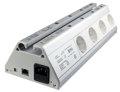 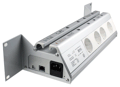 |
| Update for NET-PwrCtrl IO, IO - POWER & IO 19” Firmware | |
| Update for NET-PwrCtrl HUT Firmware | 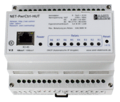 |
| Firmware Update - Deutsch | Update for NET-PwrCtrl HOME Firmware | 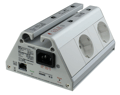 |
| Update for NET-PwrCtrl PRO, POWER & POWER 19” Firmware | |
| Firmware Update - English | Update for NET-PwrCtrl HOME Firmware | |
| Update for NET-PwrCtrl PRO, POWER & POWER 19” Firmware | |
| Device defect? | |
Should (which we don't hope) the device be defect (the power LED does not blink every second), it must be sent to us. An RMA number is not necessary for us. Please make sure that the device is actually defective and not there are adjustment problems. An additional look in the manual or a telephone call (E-Mail) could solve the problem. |
|
| Documents | |
No device of the computer system remains switched on unused. Environmentally friendly by reducing energy consumption and avoiding standby |
All Net-PwrCtrl are developed and manufactured in Germany
|
 CE Conformity CE Conformity |
 WEEE WEEE |
 Suppliers’ declaration for products having preferential origin status.pdf